• Skip to primary navigation
  • Skip to main content
  • Skip to primary sidebar

John August

  • Arlo Finch
  • Scriptnotes
  • Library
  • Store
  • About

John

Less IMDb gets unbroken

August 19, 2014 Apps, Less IMDb

We love IMDb, but man, there’s a lot of clutter on those pages. That’s why one of our very first coding projects was Less IMDb, a browser extension that rearranges IMDb pages to emphasize credits and minimize everything else.
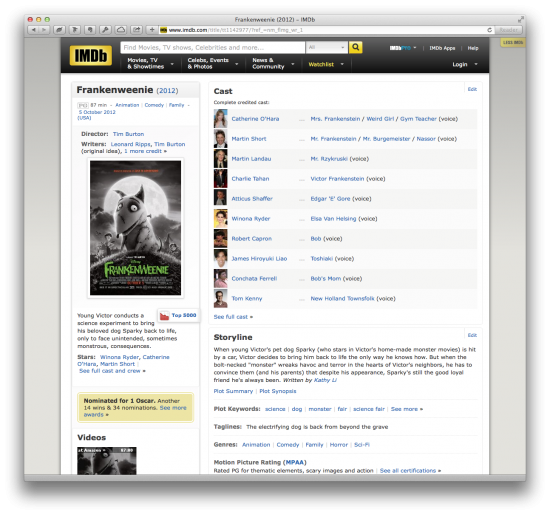
screen shot

For the past four years, Less IMDb sat in the righthand margin, quietly doing its job. Occasionally it would encounter an odd IMDb page that didn’t play nicely — often a themed page with oversized ads — but for the most part it worked as intended.

Then last month Less IMDb broke altogether. So Ryan Nelson dusted off the code and got it working again.

The Safari version of Less IMDb has been updated to 1.3.1 and is available here. He’s working on the Chrome version now.

Unfortunately the auto-updaters for both Safari and Chrome won’t work properly, so you have to download and install it yourself.

For best results, uninstall your existing version of Less IMDb first. (After all, you don’t want More Less IMDb.)
You can find it in Preferences > Extensions.

Then download the new one and follow the instructions. (There is also a video walkthrough.)

What’s New:

  • The sidebar is back when Less IMDb is turned on.
  • Fixed formatting of release date, genre, and runtime information.
  • Added retina display support to Less IMDb controller icon.
  • Fixed bug that hid ratings even when Less IMDb was set to off.
  • Changed extension permissions to allow Less IMDb to run on any subdomain for better international support.
  • Fixed bug that prevented video from playing.
  • Fixed bug that prevented ratings from working.
  • Future versions will automatically update once 1.3.1 is installed.

Known issues and notes:

  • Older versions of the extension will not automatically update to the latest version, and should be deleted before using the updated extension.
  • Pages with heavily-branded content may look funky, particularly those using dark backgrounds.
  • Photos and video thumbnails don’t always load when Less IMDb is turned on.
  • Apple’s Safari Extension gallery doesn’t yet link properly.
  • The Less IMDb page is old and FAQ is out of date (update coming).

Once Ryan get the Chrome version finished, we’ll be open-sourcing the whole project. We’d love for coders to springboard off what we’ve done to build a Firefox version, for example, or incorporate it into some of new WebKit goodness announced for Yosemite.

Less IMDb continues to be a useful little utility, something you don’t notice until it’s gone. If you haven’t tried it, give it a shot.
Texting in film and television

August 18, 2014 Follow Up, Television, Words on the page

Craig and I may have taken umbrage at his video about comedy directors who aren’t Edgar Wright, but Tony Zhou’s newest video looking at how filmmakers handle texting and the internet on-screen is all good.

Zhou’s underlying point is that we still haven’t settled on conventions for showing texting or the internet. And that’s good! Filmmakers can and should experiment to see what works best for their needs.

In ten years, some of our choices will look quaint and foolish, but that’s the fun and challenge of making new things.

Secrets of Highland’s Dark Mode

August 18, 2014 Highland

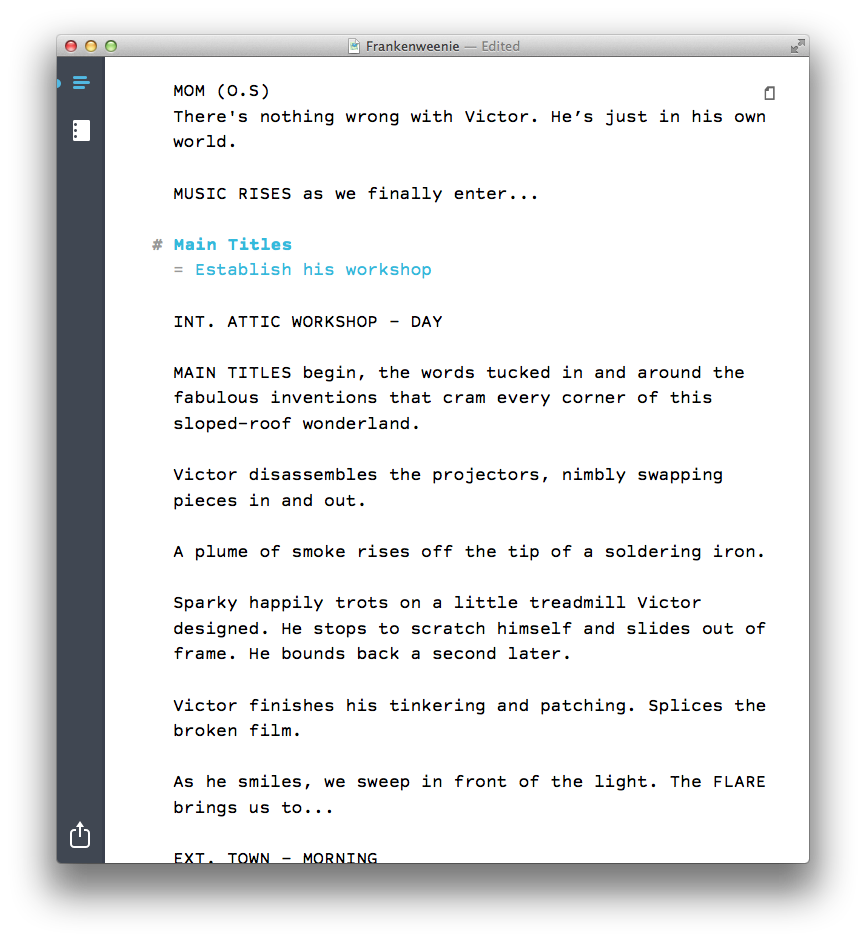
When you’re writing a script in Highland, you can turn on Dark Mode (⌘D) to flip the colors in the edit view. So instead of this:

screenshot

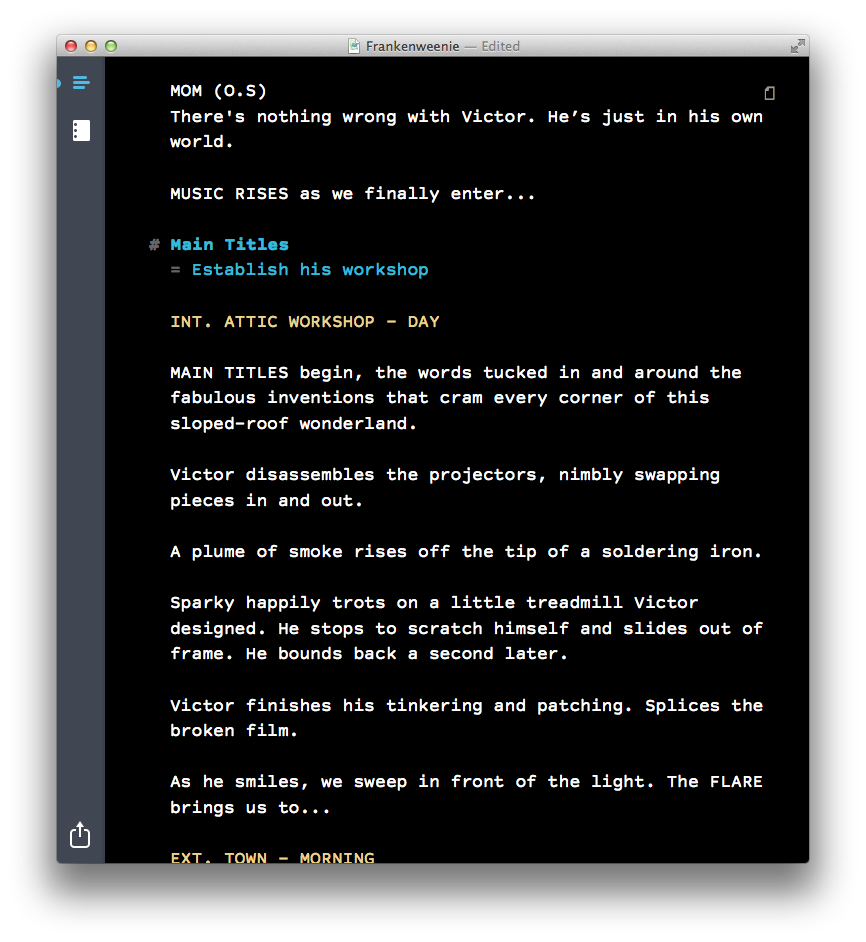
In Dark Mode, you get this:

screenshot

Dark Mode is useful for writing at nighttime or in darker locations, when you don’t want to be staring at a bright screen. It can also be easier on your eyes.

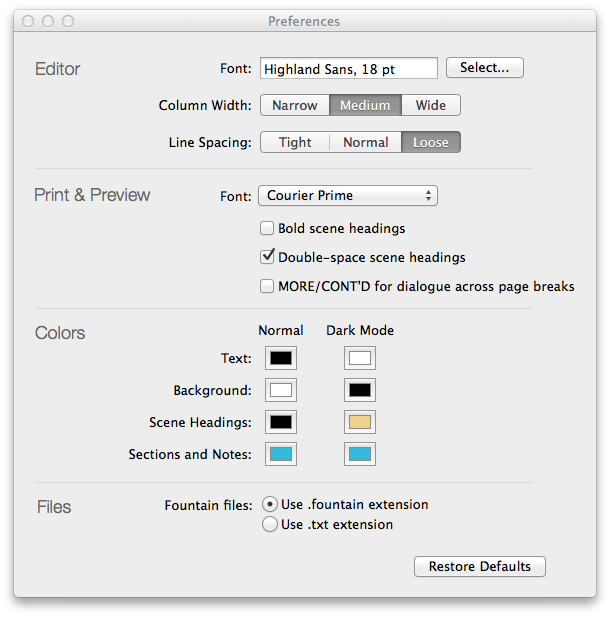
But you’re not limited to white text on a black background. You can customize the colors to your heart’s content in Preferences.

screenshot

color picker
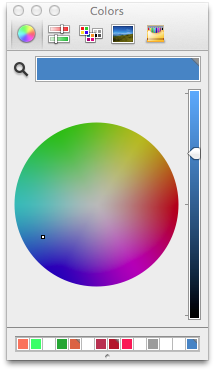
Under Colors, click on any of the color swatches to bring up the color picker. Here you can set your choices for text, background, scene headings and notes, for both Normal and Dark Mode.

In the color picker, I often click the magnifying glass, which sets the color to anything I can click on screen. It’s a handy way to get exactly the color I want. (In the first version of this post, I called this an eyedropper instead of a magnifying glass, because in most image editing apps, the equivalent tool is an eyedropper. As a UI metaphor, which tool makes more sense? Discuss.)

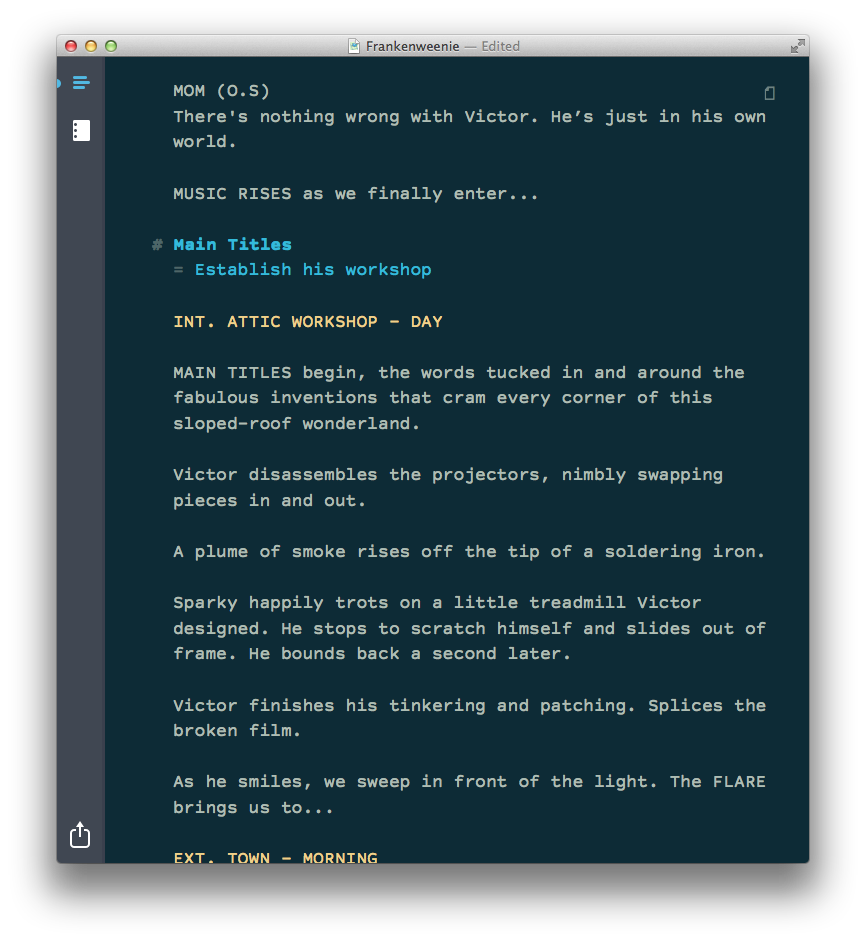
Most days, this is the color scheme I use in Highland:

screenshot

It’s pretty close to Ethan Schoonover’s Solarized Dark theme, and works particularly well with Highland’s default typeface (Highland Sans).

If you feel like going down the color theme rabbit hole, there are myriad options out there, most of which were originally designed for coders. ((In many ways, screenwriting resembles coding; you’re writing the plan for creating something else, using specific and esoteric terminology.)) The magnifying glass is usually the easiest way to try these different configurations. Just click on a theme’s color swatches in the website. ((We’re discussing whether to build editor themes into a future edition of Highland. If you have an opinion, let us know.))

Because Highland will let you pick any colors you want, we have to be smart about what color we use for selecting text. We’re generating the highlight color programmatically, using the following code:

CGFloat selectionAlpha = 0.2;

NSColor *invertedBackgroundColor = [NSColor colorByInvertingColor:backgroundColor];

[self.textView setSelectedTextAttributes:@{NSBackgroundColorAttributeName: [invertedBackgroundColor colorWithAlphaComponent:selectionAlpha], NSForegroundColorAttributeName: invertedBackgroundColor}];

In English, this means we’re setting the background color of the selection to the inverse of the normal background color, with the opacity knocked down to 20%. Meanwhile, the text color is set to the inverted normal background color. As a result, you’ll always be able to read highlighted text, no matter what colors you choose.

If you haven’t tried Dark Mode or customizing colors, give them a shot. They’re both small things, but they make working in Highland just a little more delightful.

As always, you can find Highland in the Mac App Store.

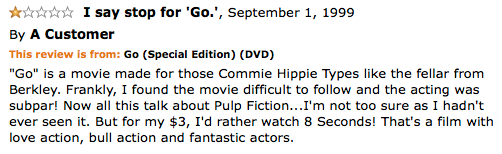
One-Star Amazon Reviews

August 18, 2014 Follow Up

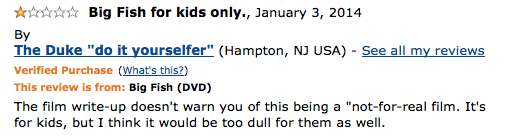
I’ve been following the Twitter feed @AmznMovieRevws, which curates some of the most inane movie reviews on Amazon, particularly the one-star variety.

I was inspired to look up some for my own films.

review

In retrospect, we should have put a sticker the DVD warning people that it’s a not-for-real film.

review

Who’s the fellar from Berkley? That’s the central question of my new one-act play, “The Fellar from Berkley.” We’re trying to get Corey Stoll for the lead. Maybe Julia Stiles as the Slate reporter?

(Worth noting: Eight Seconds, the Luke Perry bull-riding movie, has better reviews than Go, earning five stars to Go’s four.)

« Previous Page
Next Page »

Primary Sidebar

Newsletter

Inneresting Logo A Quote-Unquote Newsletter about Writing
Read Now

Explore

Projects

  • Aladdin (1)
  • Arlo Finch (27)
  • Big Fish (88)
  • Birdigo (2)
  • Charlie (39)
  • Charlie's Angels (16)
  • Chosen (2)
  • Corpse Bride (9)
  • Dead Projects (18)
  • Frankenweenie (10)
  • Go (29)
  • Karateka (4)
  • Monsterpocalypse (3)
  • One Hit Kill (6)
  • Ops (6)
  • Preacher (2)
  • Prince of Persia (13)
  • Shazam (6)
  • Snake People (6)
  • Tarzan (5)
  • The Nines (118)
  • The Remnants (12)
  • The Variant (22)

Apps

  • Bronson (14)
  • FDX Reader (11)
  • Fountain (32)
  • Highland (75)
  • Less IMDb (4)
  • Weekend Read (64)

Recommended Reading

  • First Person (87)
  • Geek Alert (151)
  • WGA (162)
  • Workspace (19)

Screenwriting Q&A

  • Adaptation (65)
  • Directors (90)
  • Education (49)
  • Film Industry (489)
  • Formatting (128)
  • Genres (89)
  • Glossary (6)
  • Pitches (29)
  • Producers (59)
  • Psych 101 (118)
  • Rights and Copyright (96)
  • So-Called Experts (47)
  • Story and Plot (170)
  • Television (165)
  • Treatments (21)
  • Words on the page (238)
  • Writing Process (177)

More screenwriting Q&A at screenwriting.io

© 2026 John August — All Rights Reserved.